
AI Gender Swap Filter
See the Other Side of You
Upload a photo. Watch AI flip your gender in seconds — same face, same energy, completely transformed.
Upload Your Photo
Drag and drop your image or click to select. Supports JPG, JPEG, PNG or WebP (10MB)
Edit the prompt to customize the result. The default keeps the same person recognizable.
Please login to generate your gender swap
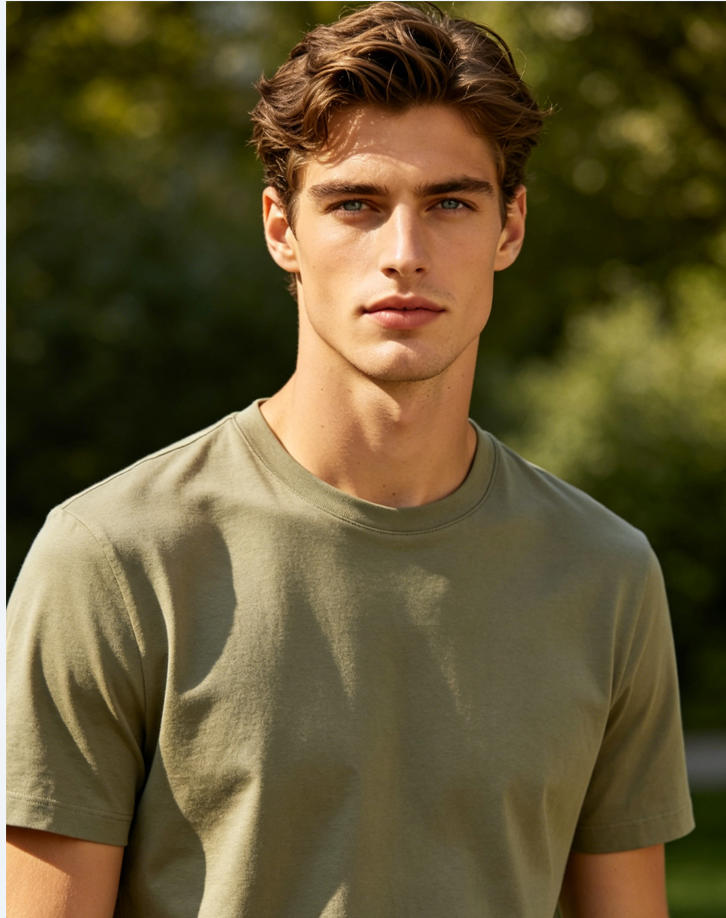
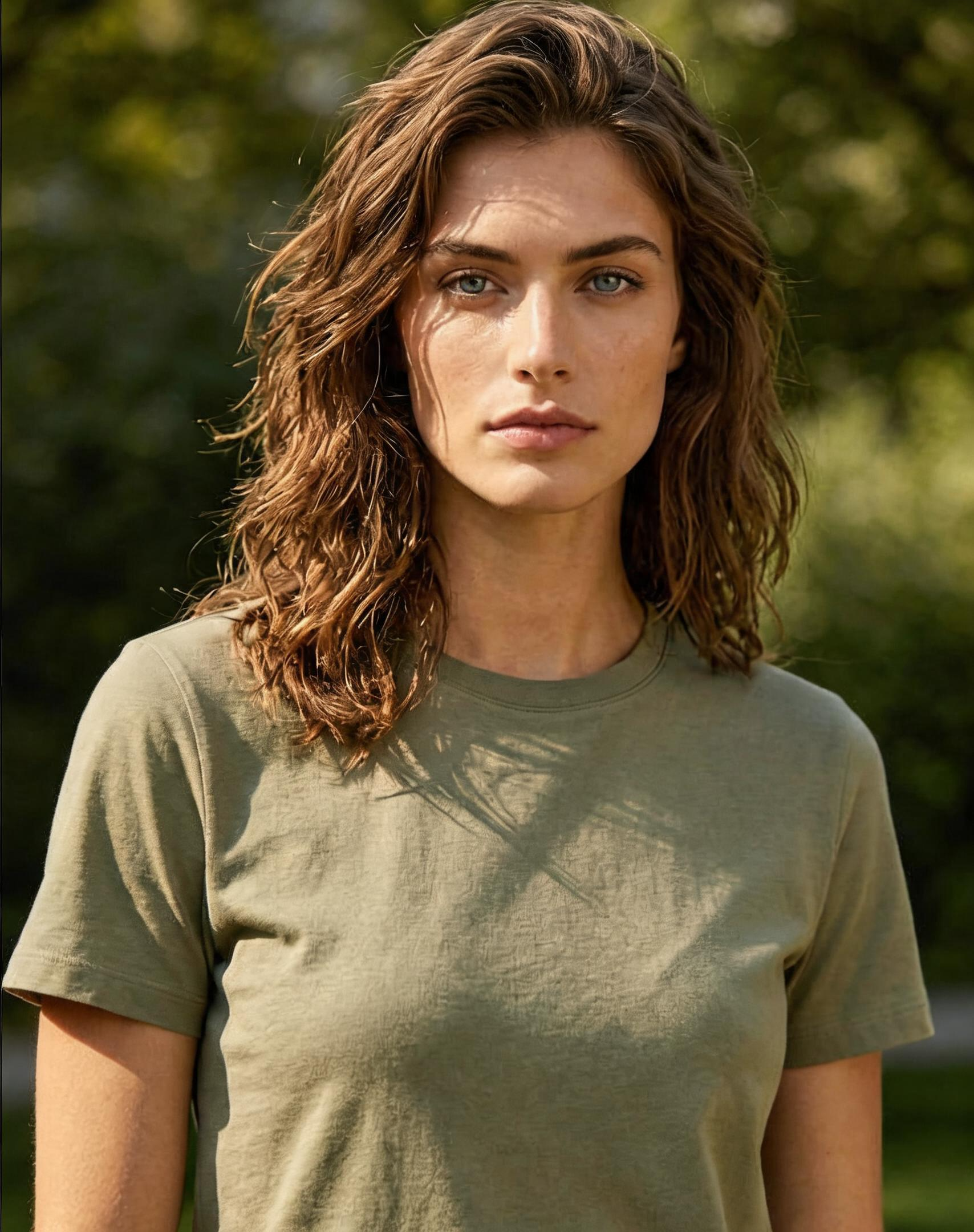
What Is a Gender Swap Filter?
A gender swap filter is an AI-powered tool that transforms a photo of a person so they appear as the opposite gender — a male to female filter for men, or a female to male filter for women. Unlike simple face swap apps that paste someone else's face onto your photo, a true AI gender swap filter keeps the same person recognizable while only adjusting the gender-related features: hairstyle, facial structure, jawline, brow, and overall silhouette.
What the AI adjusts (and what it preserves)
- Adjustshairstyle, hair length, hairline, jawline, brow ridge, facial hair, skin smoothness, and body silhouette
- Preserveseye shape, skin tone, expression, pose, clothing, lighting, and background
Features
Discover what makes our AI Gender Swap Filter the most realistic male to female and female to male filter online.
AI-Powered Transformation
Our advanced AI gender swap model is trained on millions of portraits. It preserves your unique facial identity while naturally transforming hair, jawline, brow, and overall silhouette for an authentic male to female or female to male result — not a stranger wearing your clothes.
Instant Results
Get your AI gender swap preview in seconds. No waiting, no complicated setup, no Photoshop — just upload your photo and the gender swap filter handles the rest automatically.
Identity Preserved
The AI keeps your expression, skin texture, lighting, pose, and background completely unchanged. You stay recognizably YOU — only the gender-related features are re-rendered to match the target gender.
Easy to Use
Simple upload and generate — the gender swap filter auto-detects your gender and flips it. The optional prompt field lets you fine-tune style details like hair length, makeup, age, or vibe.
Privacy First
Your photos are processed securely and never stored on our servers. Download your AI gender swap result and it is yours to keep — we do not train on your images, and we do not share them with third parties.
Affordable Credits
Each AI Gender Swap Filter run costs 5 credits. You must purchase a credit package before using this feature — welcome credits cannot unlock it. Pricing stays accessible for regular use.
When to Use the Gender Swap Filter
From social media fun to serious creative previews, here are the most popular ways people use our AI gender swap filter.
Curiosity & Self-Discovery
Curious what you would look like as the opposite gender? Upload a selfie and our male to female filter or female to male filter gives you an answer in seconds. Many users say it is the most fun filter they have ever tried.
Social Media Content
TikTok, Instagram Reels, YouTube Shorts — gender swap transformations are one of the highest-engagement content formats. Use our AI gender swap filter to create before/after videos and watch the comments roll in.
Cosplay & Character Design
Cosplayers, drag artists, and character designers use the gender swap filter to preview what a male character would look like as a female, or vice versa. It is a fast way to test a look before committing to a full costume.
Photo Pranks with Friends
Upload a group photo or a friend's portrait and use the AI gender changer to surprise them with their opposite-gender look. A perfect, harmless prank for group chats and parties.
Visual Storytelling & Writing
Authors, game writers, and filmmakers use the gender swap filter to visualize characters during early development. It is faster than commissioning concept art and good enough to share with a team.
Profile Picture Experiments
Trying to decide on a new look? The AI gender filter lets you experiment freely. Try a softer jawline, longer hair, or a different brow — and keep the result as a private reference.
Tips for the Best Gender Swap Results
Five small things you can do to make your AI gender swap transformation look more realistic and more like you.
Use a clear, front-facing selfie
Photos where your full face is visible, looking roughly at the camera, give the AI the most information. Avoid heavy shadows, sunglasses, or extreme side angles — they hide the features the gender swap filter needs to read.
Use bright, even lighting
Natural daylight works best. Harsh single-source light creates deep shadows that confuse the model and may make the male to female filter or female to male filter look uneven on one side of the face.
Keep your hair pulled back for the first try
The AI will rewrite your hair to match the target gender, but a visible hairline helps it match your head shape. If you want to see how YOU would look with longer or shorter hair, start with your hair out of the way.
Edit the prompt for custom looks
Want a more feminine male-to-female result, or a softer, more androgynous female-to-male result? Adjust the prompt to specify hair length, makeup style, age, or vibe. The default prompt keeps you recognizable; the custom prompt lets you go further.
Try multiple photos, not just one
The same person can look quite different across photos. If your first result is not quite right, try another photo with different lighting or angle. Most users find their favorite result within 2–3 attempts.
How It Works
Get your gender swap result in three simple steps
Upload Your Photo
Upload a clear, front-facing photo with good lighting. Supports JPG, JPEG, PNG, and WebP formats (max 10MB).
AI Auto-Detects & Flips
AI automatically detects your gender and transforms you to the opposite. Optionally add a custom prompt for extra style details.
Generate & Download
Click generate and AI will transform your look in seconds. Download your result — we don't save your images.
FAQ
Common questions about our AI Gender Swap Filter, the male to female filter, and the female to male filter.